


2020
10-18
10-18
Python通过format函数格式化显示值
英文文档:format(value[,format_spec])Convertavaluetoa“formatted”representation,ascontrolledbyformat_spec.Theinterpretationofformat_specwilldependonthetypeofthevalueargument,howeverthereisastandardformattingsyntaxthatisusedbymostbuilt-intypes:FormatSpecificationMini-Language.Thedefaultformat_specisanemptystringwhichusuallygivesthesameeffectas...
继续阅读 >
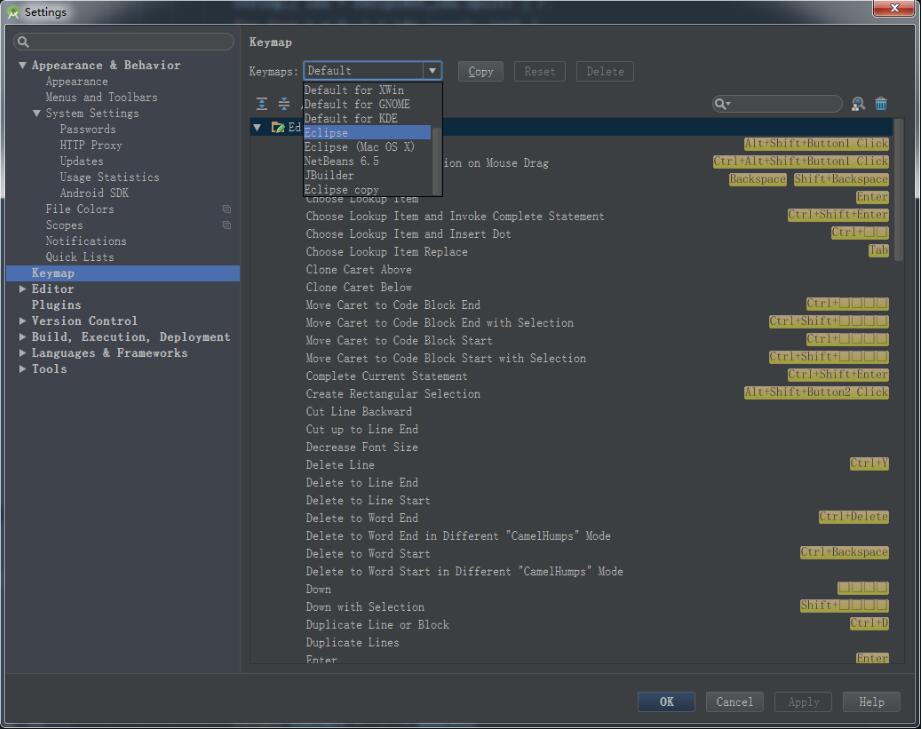 之前使用Eclipse来做开发,现在换AndroidStudio的时候,原来常用的格式化代码快捷键就无法使用了。解决方案有两个将AndroidStudio的快捷键设置为Eclipse版本的,就可以延续原来的使用习惯AndroidStudio自身默认的格式化代码快捷键,Windows系统下为Ctrl+Alt+L,Mac下为Option+Cmd+L注意AndroidStudio自身默认的快捷键会和QQ的锁定快捷键互相冲突,建议把QQ的快捷键修改为其他的补充知识:androidstudio设置Tab为四空格...
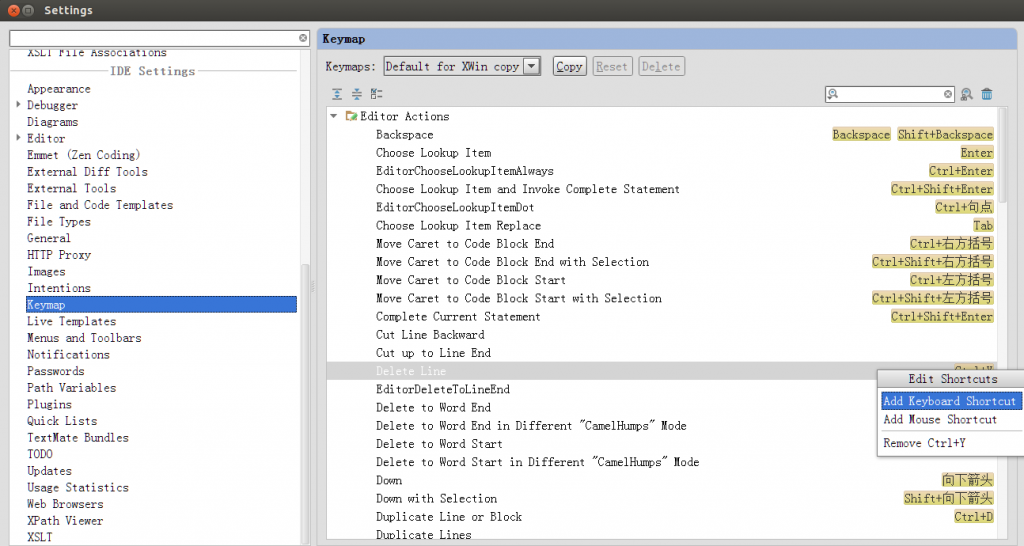 ctrl+j 插入活动代码提示ctrl+alt+t 当前位置插入环绕代码alt+insert 生成代码菜单Shift+Enter新一行ctrl+q 查看代码注释ctrl+d 复制当前行ctrl+y 删除当前行ctrl+alt+y 刷新项目缓存Synchronize 或文件夹右键Synchronizeshift+F6 重命名ctrl+shift+u ...