


2020
10-10
10-10
Android TabHost如何实现顶部选项卡
用TabHost来实现顶部选项卡,上代码:activity_main.xml<?xmlversion="1.0"encoding="utf-8"?><android.support.constraint.ConstraintLayoutxmlns:android="http://schemas.android.com/apk/res/android"xmlns:app="http://schemas.android.com/apk/res-auto"xmlns:tools="http://schemas.android.com/tools"android:layout_width="match_parent"android:layout_height="match_parent"tools:context=".Main...
继续阅读 >
 本文实例为大家分享了Android实现界面跳转的具体代码,供大家参考,具体内容如下布局<?xmlversion="1.0"encoding="utf-8"?><android.support.constraint.ConstraintLayoutxmlns:android="http://schemas.android.com/apk/res/android"xmlns:app="http://schemas.android.com/apk/res-auto"xmlns:tools="http://schemas.android.com/tools"android:layout_width="match_parent"android:layout_height="match_pa...
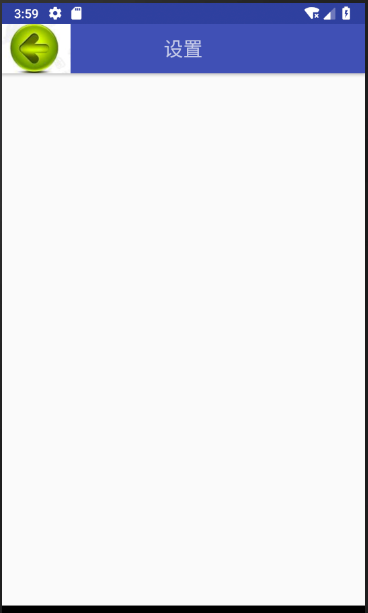 最近设计安卓里面有个标题栏,里面有个后退键,可以完成后退之类的功能。好,刚好可以用Toolbar去实现上代码:activity_main.xml<?xmlversion="1.0"encoding="utf-8"?><android.support.design.widget.CoordinatorLayoutxmlns:android="http://schemas.android.com/apk/res/android"xmlns:app="http://schemas.android.com/apk/res-auto"xmlns:tools="http://schemas.android.com/tools"android:layout_width="ma...
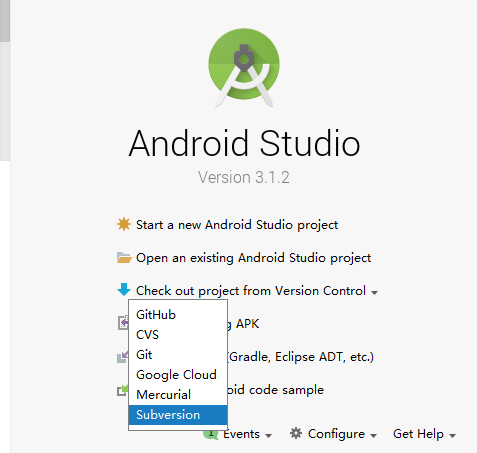 昨天弄了一天的AndroidStudiosvn,感觉没有eclipse的svn好装,中间遇到很多的麻烦问题。这里来记录下吧下载下来的时候会遇到写问题,这里来记录一下。选择下载的项目选择下载到的目录点OK就行选择Tomcat,选个1.8就行下面点yes就行点生成下面都是下一步,下一步,最后到这里点击Finish就行刚下载下来的项目会发现运行不了,报错pleaseselectandroidsdk解决办法:选择File-settings,调出AndroidSdk点击Edit有选项的...
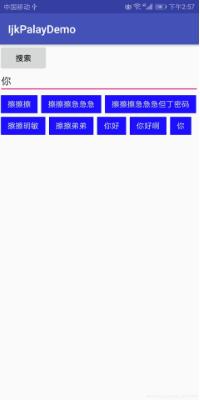 本文实例为大家分享了Android实现搜索历史的具体代码,供大家参考,具体内容如下SharedPreferences实现本地搜索历史功能,覆盖搜索重复的文本,可清空 1.判断搜索内容是否含表情,不需要可以不判断/***校验字符串是否含有表情*@paramcontent*@return*/publicstaticbooleanhasEmoji(Stringcontent){Patternpattern=Pattern.compile("[\ud83c\udc00-\ud83c\udfff]|[\ud83d\udc00-\ud83d\udfff]|[\u2600...
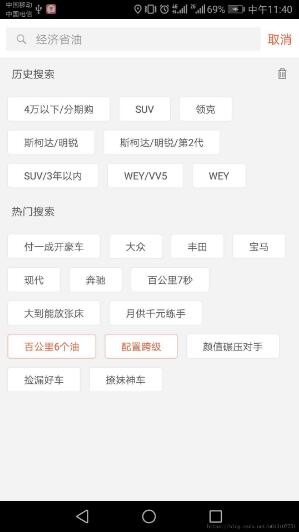 本文实例为大家分享了AndroidFlowLayout流式布局的具体代码,供大家参考,具体内容如下最近使用APP的时候经常看到有这种流式布局,今天我就跟大家一起来动手撸一个这种自定义控件.首先说一下自定义控件的流程:自定义控件一般要么继承View要么继承ViewGroupView的自定义流程:继承一个View-->重写onMeasure方法-->重写onDraw方法-->定义自定义属性-->处理手势操作ViewGroup的自定义流程:继承一个ViewGroup-->重写onMeasure方法-->重...
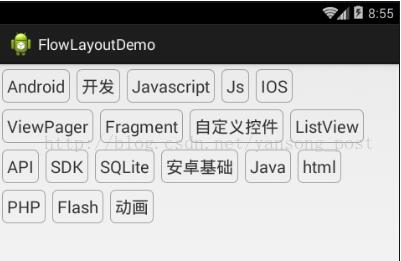 本文实例为大家分享了Android自定义ViewGroup实现流式布局的具体代码,供大家参考,具体内容如下1.概述本篇给大家带来一个实例,FlowLayout,什么是FlowLayout,我们常在App的搜索界面看到热门搜索词,就是FlowLayout,我们要实现的就是图中的效果,就是根据容器的宽,往容器里面添加元素,如果剩余的控件不足时候,自行添加到下一行,FlowLayout也叫流式布局,在开发中还是挺常用的.2.对所有的子View进行测量onMeasure方法的调用次数是不确...
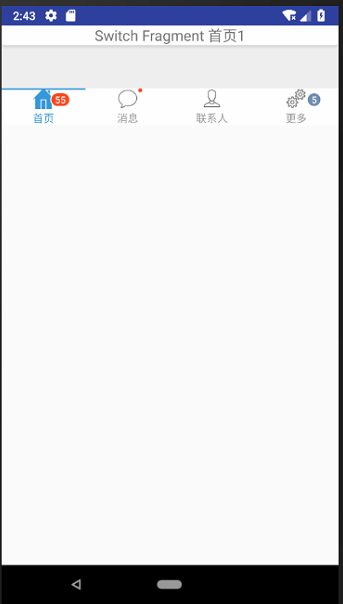 今天搞了很久的一个问题,导航菜单没有固定到底部,因为上面是ListView,可是没内容,于是就浮动上去了。效果如下:这里采用的是一个碎片,代码是:<LinearLayoutxmlns:android="http://schemas.android.com/apk/res/android"android:layout_width="match_parent"android:layout_height="wrap_content"android:orientation="vertical"><TextViewandroid:id="@+id/card_title_tv"android:layout_width="match_parent"androi...
 研究了下这个,记录下代码。主页面代码:activity_main.xml<?xmlversion="1.0"encoding="utf-8"?><android.support.constraint.ConstraintLayoutxmlns:android="http://schemas.android.com/apk/res/android"xmlns:app="http://schemas.android.com/apk/res-auto"xmlns:tools="http://schemas.android.com/tools"android:layout_width="match_parent"android:layout_height="match_parent"tools:context=".Ma...
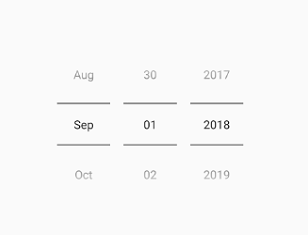 最近做项目,需要设置用户的生日,所以做这样一个功能。开始发觉自带的DatePicker很是不好用。上代码:<DatePickerandroid:id="@+id/dpPicker"android:datePickerMode="spinner"android:calendarViewShown="false"android:layout_marginTop="150dp"android:spinnersShown="true"android:yearListSelectorColor="@color/colorPrimaryDark"android:layout_width="match_parent"...
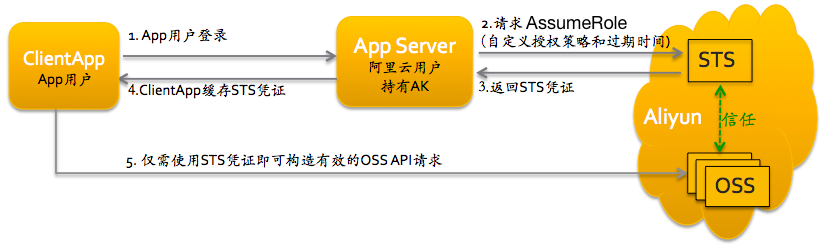 购买了阿里云的oss空间,于是用它来存储图片,不过中间的使用算是出了些问题,导致很长的才成功。不得不说,阿里云文档真的是无力吐槽。。。乱七八糟的。我完全是东拼西凑,才完成的图片上传功能。走了很多的弯路,今天来记录下。服务器上传:阿里云上传分服务器上传和客户端上传,首先要分清,因为两边有差别的,服务器的上传简单很多,官方给的下载下来,输入配置的参数accessKeyId和accessKeySecret还有bucketName就能够上传...