


2023
03-28
03-28
vue轻松实现水印效果
前言:vue项目中使用水印效果,可指定容器效果图:1、不指定容器2、指定容器实现方法:1、新建一个配置文件watermark.js,可放util,也可放别的地方letwatermark={}letsetWatermark=(text,sourceBody)=>{letid=Math.random()*10000+'-'+Math.random()*10000+'/'+Math.random()*10000if(document.getElementById(id)!==null){document.body.removeChild(document.getElementById(id))}letcan=d...
继续阅读 >
 效果图:实现代码:<template><divid="map"style="width:100vw;height:100vh"/></template><script>import"ol/ol.css";importTileLayerfrom"ol/layer/Tile";importVectorLayerfrom"ol/layer/Vector";importVectorSourcefrom"ol/source/Vector";importXYZfrom"ol/source/XYZ";import{Map,View,Feature}from"ol";import{Style,Circle,Stroke}from"ol/style";import{Point}from"ol/geom";imp...
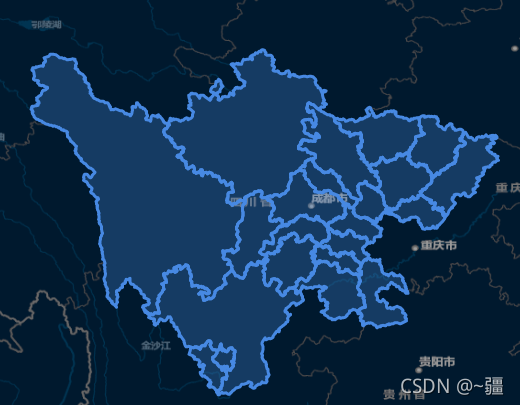
 目录前言一、定义标签样式二、模拟GeoJSON数据三、创建VerctorLayer四、构建地图五、模拟实时移动总结前言本系列文章介绍一个简单的实时定位示例,示例的组成主要包括:服务后端,使用Java语言编写,模拟生成GeoJSON数据。前端展示,使用Vue+OpenLayers,负责定时向后端服务请求GeoJSON数据,并在以标签的形式展现定位数据。实现的效果:一、定义标签样式varimage=newCircleStyle({radius:5,fill...
 加载1个或多个要素<template><divid="map"style="width:100vw;height:100vh"></div></template><script>import"ol/ol.css";importTileLayerfrom"ol/layer/Tile";importVectorLayerfrom"ol/layer/Vector";importVectorSourcefrom"ol/source/Vector";importXYZfrom"ol/source/XYZ";import{Map,View,Feature,ol}from"ol";import{Style,Stroke,Fill}from"ol/style";import{Polygon,MultiPolygon...
 目录Vuethis.$store.state.xx.xx获取store中的数据我的项目文件结构vue项目都在什么时候用store.state、$store.state和this.$store.sstore和[this.]$storethis.$store和$storeVuethis.$store.state.xx.xxthis.$store.state.xx.xx其实是Vue用到状态管理工具VuexVuex官网:https://vuex.vuejs.org/zh/感觉就是把组件的共享状态抽取出来,以一个全局单例模式管理。在这种模式下,我们的组件树构成了一个巨大的“视图”,不管在...
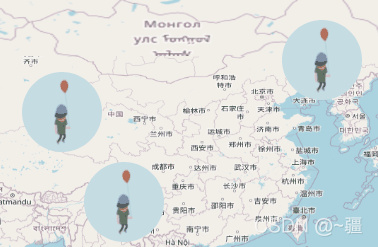 注意:实现动画时不能有scoped!!!! 通过gif<template><divclass="test"><divid="map"ref="map"style="width:100vw;height:100vh"></div></div></template><script>import"ol/ol.css";import{Map,View,Overlay}from"ol";importTileLayerfrom"ol/layer/Tile";importOSMfrom"ol/source/OSM";exportdefault{name:"gif",data(){return{map:{},overlay:{},mar...
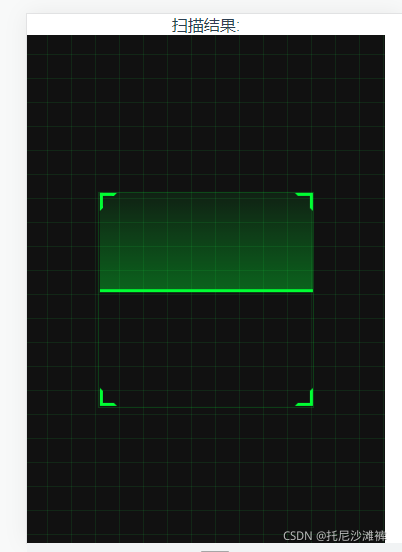 需求:利用vue实现二维码扫描;插件:QRCodeReader;插件下载npminstall--savevue-qrcode-reader注意:需要在https协议下才可以调用相机,实现扫码。可以通过配置vue.config.js中的devServer:{https:true}或参照前文章前端使用Nuxt框架,配置本地https访问配置本地证书<template><div><pclass="error">{{error}}</p><!--错误信息--><pclass="decode-result">扫描结果:<b>{{result}}</b>...